


 Calen Voss
  30.12.2025
It’s surprisingly common for residents and visitors to search for how to change a mobile number in Emirates ID, especially when a service refuses to send an OTP or a bank asks for verification and nothing arrives. Your Emirates ID number is tied to one mobile number inside the ICP system, and when that number is outdated, almost everything slows down — from immigration updates to simple account logins.
Changing it isn’t complicated, but you do need to follow the exact steps so the update reaches the right place in the system. Some people prefer doing it online through the ICP website or app, while others go to a typing center because they want someone to handle the process for them. This guide walks you through every method, the fees, the timing, and the checks you can do afterward to confirm the update went through.
What Is Emirates ID Number and Why Does It Matter?
Your Emirates ID number is the unique identifier the UAE uses to recognise you across almost every government and private service. It sits on your Emirates ID card, but more importantly, it sits in the ICP database, where it links to your visa details, your contact information, and the mobile number used for OTPs. Without a working mobile number attached to it, many services simply won’t move forward.
You use this number every time you renew a visa, sign into government portals, open a bank account, update your driving licence, access healthcare, or complete basic employment procedures. That’s why maintaining the mobile number associated with your Emirates ID up to date matters - it minimises delays, mismatched information, and failed logins.
Most issues people face with Emirates ID systems come down to outdated contact details. If the number in the system doesn't match the number on your phone, OTPs go to the wrong spot, and the system thinks you can't be reached. Changing the number fixes this quickly, but you need to update it in the right place, not just on your SIM card.
Why Would You Need to Change Mobile Number in Emirates ID?
People change their mobile numbers for all kinds of reasons, and the Emirates ID system doesn’t update automatically when you switch SIM cards or move to a new provider. The number stored in the ICP record is the one used for OTPs, alerts, visa updates, and most government logins. If that number is wrong, everything from banking to immigration procedures becomes harder than it needs to be.
Most residents update their number when something stops working — an OTP that never arrives, a bank app that refuses to verify, or an ICP form that won’t continue because the system thinks the “old” number is still active. Others change it simply because they stopped using their previous SIM or it got deactivated.
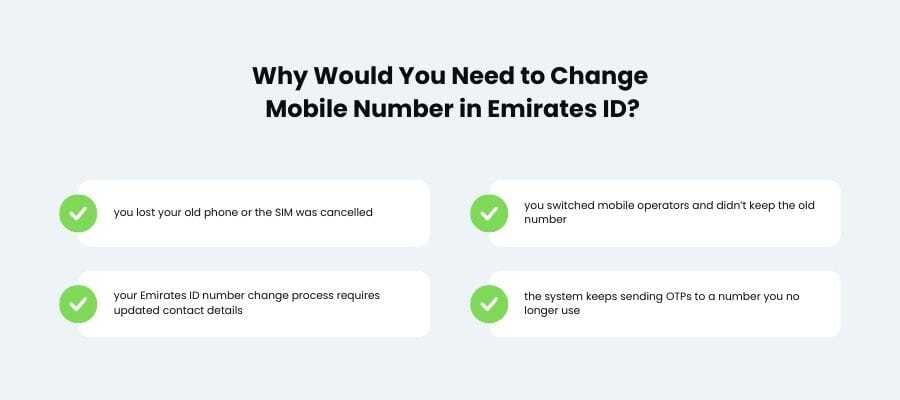
Typical reasons include:
- you lost your old phone or the SIM was cancelled
- you switched mobile operators and didn’t keep the old number
- your Emirates ID number change process requires updated contact details
- the system keeps sending OTPs to a number you no longer use
Whatever the reason, the fix is the same: update the mobile number inside the ICP system so every service recognizes the correct one.
How to Change Mobile Number in Emirates ID Online Through ICP?
Updating your number online is the most direct way to fix OTP and verification issues, and both the ICP website and the ICP mobile app let you do it without visiting a center. The steps are straightforward, but you need to enter your details exactly as they appear in the system; even a small mismatch can stop the update from going through. Below are the two online methods most UAE residents use.
Updating Mobile Number Through ICP Website
The website method is the one people use most often because it works on any device and gives you a clear summary before you submit. You start by opening the “Update Personal Information” section, entering your Emirates ID number, your passport details, and your new mobile number. The system will show the old number (hidden) and ask you to confirm the change. After that, you pay the government fee and wait for the confirmation SMS on the new number. The update usually appears within a short time, as long as the information matches what’s already in the ICP record.
Updating Mobile Number Through ICP App
The ICP app works in a similar way but is quicker once you’re logged in. You sign in using your UAE Pass or Emirates ID number, go to your personal profile, and choose the option to update your contact information. The app fills in most of your data automatically, so all you usually have to do is enter the new mobile number, confirm it, and pay the fee. Many residents prefer the app because it sends status updates directly inside the application, making it easier to track whether the change has been processed.
How to Change Emirates ID Mobile Number at a Typing Center?
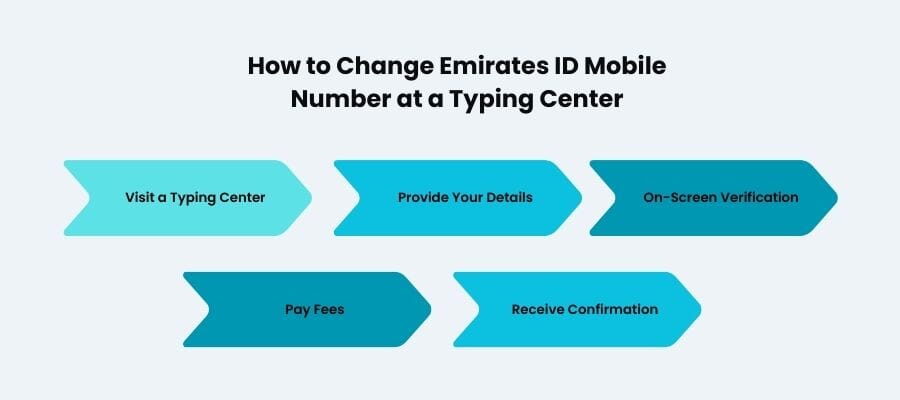
If you don’t feel like dealing with forms and menus yourself, you can handle the whole change of mobile number in Emirates ID update at a typing center. You walk in with your Emirates ID, passport, and new mobile number; they do the actual typing and submission on the ICP system. The staff check your details on screen, ask you to confirm the number, and then send the request under your name.
This option makes sense if the online form keeps giving errors or you’re not sure what’s already stored in your file. Typing center staff see right away if something doesn’t match, for example an old passport number or expired visa entry, and can correct it before submitting.
You pay the official ICP fee plus a small service charge for their work. After submission, the update usually shows in the system within a short time, and you should receive the confirmation SMS on the new number you gave them.
How to Update Mobile Number in Emirates ID and What Are the Fees?
When you ask how to update a mobile number in Emirates ID, you’re really asking ICP to replace one contact detail in your file with another. The request is easy: you just need to give your Emirates ID number, passport information, and the new phone number. Then you have to confirm that this is the only number you want used for messages and OTPs.
For an Emirates ID mobile number change, there is a standard government fee charged by ICP. You pay it whether you use the website, the app, or sit with an operator at a typing center. Typing centers usually add their own small service fee on top for filling and submitting the form.
Nobody can promise exact processing times, but in normal situations the update doesn’t take long once the request is accepted. If you don’t see a confirmation SMS or email, it’s worth checking the status or asking the place where you submitted the change.
How to Check If Your Emirates ID Mobile Number Has Been Updated?
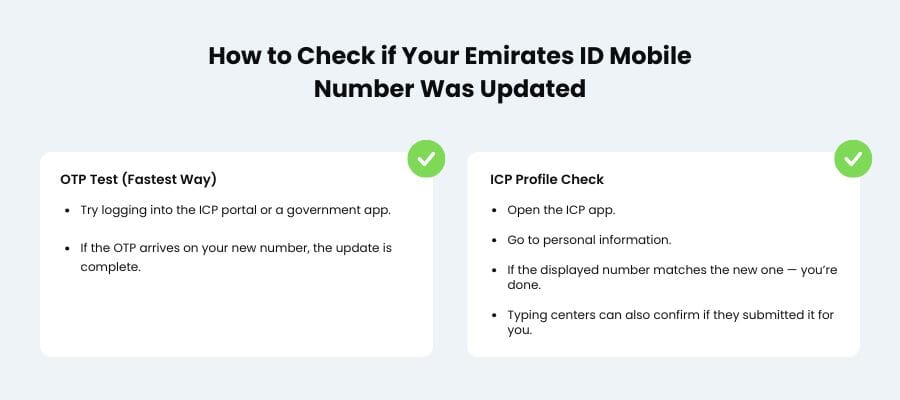
Once you send the request, the next thing to do is check that the new number has replaced the old one in the ICP record. The system won’t announce it loudly, so you have to check it yourself. The quickest way is to try a service that relies on OTPs — for example, logging into the ICP portal or opening a government app that uses your Emirates ID number for verification. If the code arrives on your new phone, the update went through.
Another way is to open the ICP app and look at the personal information section in your profile. If the number shown there matches your new one, you’re done. Typing centers can also confirm the change if you submitted the request through them.
If nothing changes after a while and OTPs still go to the old number, it usually implies that the system didn't fully accept the request. This could be because a digit was inaccurate or some other data didn't match your file. At that point, don’t keep guessing: check the status, then either submit a new request carefully or ask a typing center to open your record and see what went wrong.
Conclusion
Updating your Emirates ID details isn’t complicated once you know where the change has to happen and what ICP expects from you. Whether you handle how to change a mobile number in Emirates ID online or through a typing center, the goal is the same: make sure every service sends its OTPs to the right device. If your record still shows the old number or you face repeated errors, Consulting.ae can review the case and guide you through a clean, accurate Emirates ID mobile number change.
How to update mobile number in Emirates ID online?
You can update it through the ICP website or app by entering your Emirates ID number, passport details, and the new phone number. The request is looked over after the fee is paid, and you'll get proof on the new number. It normally means that one detail didn't match your record if it doesn't go through.
Can I change Emirates ID mobile number at a typing center?
Yes. Typing centres take care of the full process of changing your Emirates ID mobile number and validate your information before you send it in. If the online form continues giving you errors, this is a smart choice.
How long does it take to update the mobile number in Emirates ID?
Most updates show up quickly, sometimes the same day. If nothing changes after a reasonable amount of time, don't just assume that the request will update on its own; check its status instead.
What documents are required for Emirates ID mobile number change?
You only need your Emirates ID number, passport details, and the new mobile number. Some centers may ask to see your physical card to avoid entry mistakes.
Can someone else update my Emirates ID mobile number?

