


 Calen Voss
  02.12.2025
 You google “what is a TRN number” after seeing it on an invoice for the fifth time this month and still not feeling 100% sure what it actually does. You’re not alone. The TRN — Tax Registration Number — is simply your VAT ID in the UAE, but nobody really explains it in normal language. It’s the number that tells the system who is allowed to charge VAT, collect it from customers, and pass it on to the government.
If you manage a small business, work as a freelancer, or take care of corporate paperwork, this little code has an effect on your prices, invoicing, and compliance. In this guide, we’ll unpack how TRN works, where it appears, and how to check that a TRN is real.
TRN Number Meaning and Why It Matters for VAT
In simple words, a TRN is your VAT ID in the UAE. It is the official number that indicates, "yes, this business is registered for VAT." Without it, you shouldn’t be charging VAT, and your customers shouldn’t be paying it. That’s why it quietly sits on every proper tax invoice — not as decoration, but as proof that the VAT on that invoice is real, not random.
If you’re wondering about the TRN number meaning, it’s simpler than it sounds: it links your company to every VAT return you file, every input VAT you try to reclaim, and every audit trail the authorities might follow. When you ask “what is TRN” in practice, it’s the code your accountant checks before submitting returns, the detail your suppliers look for on your paperwork, and the first thing an auditor will notice if it’s wrong or missing. Get the TRN right, and the rest of your VAT story becomes much easier.
How to Check TRN Number in the UAE
Checking a TRN number is only a way to make sure that a business is really registered for VAT. Before you start using buttons, portals, and forms, here's the real story. No mystery, no insider knowledge — just a quick confirmation that the number printed on an invoice actually exists in the UAE tax system. Most people do a TRN check when an invoice looks “off,” when a supplier is new, or when they want to avoid VAT problems later. The good news is that the UAE made the process straightforward, and you don’t need an accountant to verify it.
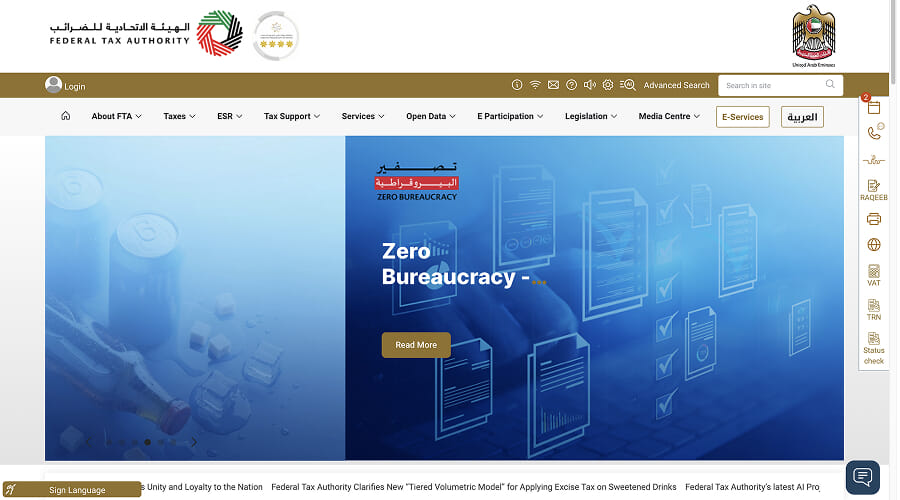
TRN Number Check UAE via the FTA Portal
The most reliable way — and honestly the only method that counts — is the official Federal Tax Authority portal. This is the same system businesses use for filing returns, so if a TRN is valid, it will show up here. You don’t need to log in, create an account, or dig through menus. The verification tool is publicly visible because VAT transparency is a legal requirement.
You enter the TRN, confirm the captcha, and the system instantly tells you whether the number is registered. If it’s valid, the company name connected to that TRN will appear exactly as it was registered for VAT. If it’s invalid, you’ll see a clear “no match” response — no guesswork. Most businesses use this check before accepting VAT invoices from new suppliers, especially when the numbers look unusually long, oddly formatted, or suspiciously “too new.”
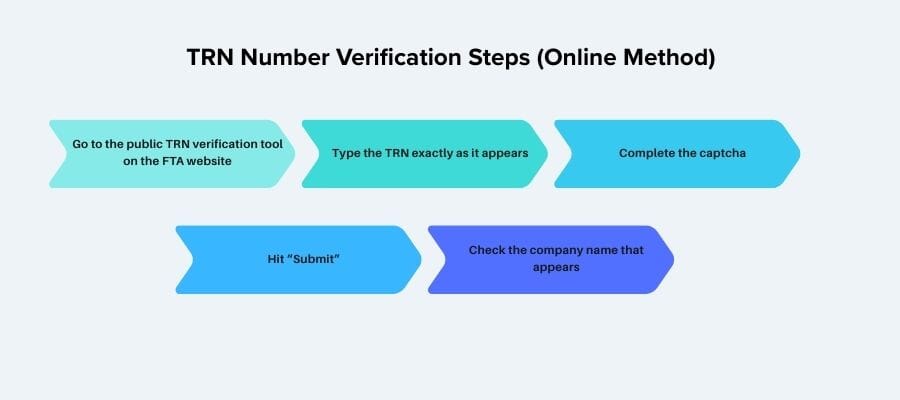
TRN Number Verification Steps (Online Method)
The online verification steps are simple enough that you can do them on your phone while standing in front of a supplier. The flow goes like this:
- Go to the public TRN verification tool on the FTA website.
- Type the TRN exactly as it appears — one wrong digit will give you an invalid result.
- Complete the captcha.
- Hit “Submit.”
- Check the company name that appears. It must match the entity you’re dealing with.
That’s it. No document uploads, no wait time, no need to involve support. This quick check protects you from paying VAT to a company that isn’t actually allowed to charge it.
How to Find TRN Number by Company Name in the UAE
Here’s a common frustration: you know the company name, but you don’t know the TRN. Unfortunately, the UAE doesn’t offer a public “search by name” tool — only a verification tool. That means you can confirm a TRN, but you can’t look one up.
The practical workaround is straightforward: request a proper tax invoice or a copy of the VAT Registration Certificate. Any legitimate VAT-registered business will provide these immediately. If they avoid the question, you already have your red flag.

Want to learn more about UAE business setup services?
How TRN Number Is Issued: VAT Registration Overview
Getting a TRN isn’t some mysterious government ritual — it’s simply the final step of your VAT registration. You submit your details, the system checks whether you actually meet the VAT criteria, and once everything lines up, the FTA issues your Tax Registration Number. This number becomes the anchor for all your future VAT activity: invoices, returns, refunds, audits, everything. The whole process is more practical than dramatic, but it does require accuracy, because even one wrong document can delay your approval.
Who Needs a TRN Number
A TRN is required for anyone whose taxable supplies reach the mandatory VAT threshold, but that’s only part of the picture. Plenty of businesses register earlier — especially freelancers, consultants, online sellers, and small companies that want to work with VAT-registered clients.
If you’re issuing invoices, signing corporate contracts, importing goods, or offering any service that involves charging VAT, you’ll eventually need a TRN. Even if your business is small or new, it’s worth checking your numbers regularly; the moment you cross the threshold, VAT registration becomes a legal obligation, not a choice.
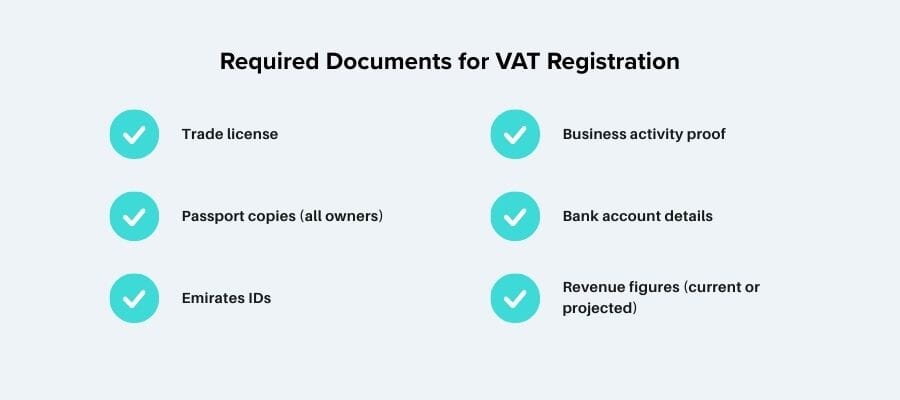
Required Documents for VAT Registration
For VAT registration, the documents list is not endless, but it does need to be clean. You will need to produce your trade licence, copies of the owners' passports, Emirates IDs, basic proof of what your firm does, bank data and some numbers that illustrate how much money you are now making or expect to make. The FTA mainly wants to see that you’re a real, active business that fits the VAT rules. If anything is missing, expired, or inconsistent, your application just sits there — so it’s worth double-checking everything before you hit submit.
TRN Number Approval Timeline
Most applications are handled in a few business days, but the procedure can take longer if the documentation don't match, the finances aren't clear, or the business structure requires more checks. Some companies get their TRN in under a week, others wait two or three — it depends on how clean the submission is. Once approved, your TRN appears on your VAT Certificate, and from that moment you’re officially in the system, filing VAT returns and passing any future TRN number verification checks.
TRN Number Problems: Invalid TRN, Mistakes, and Common Issues
Things that go wrong with TRN don't usually start with something big. It's frequently anything small, like an incorrect digit in the TRN, an outdated number copied from an old invoice, or a supplier that "thinks" they're registered but never finished the procedure. You run a quick TRN number check on the FTA portal and the screen says “invalid” — and suddenly that harmless-looking invoice doesn’t feel so harmless anymore.
Sometimes the problem is simple: a typo, a missing zero, or a company name that doesn’t match the registered one. Sometimes it’s worse: the business isn’t actually in the VAT system, but is still charging 5% on every bill. That’s the kind of mistake that can come back during TRN number verification, VAT returns, or an audit.
If you keep bumping into strange TRNs, mismatched names, or invoices you don’t fully trust, don’t just ignore it. This is exactly the moment to get someone like Consulting.ae to look over your TRN and VAT setup before it snowballs.
Conclusion
In the end, understanding your TRN isn’t about memorising rules — it’s about staying in control of your VAT obligations. Once you know what a TRN number does, how it appears on invoices, and how to run a quick TRN number check when something feels off, the whole system becomes far less intimidating. And if you ever forget the basics and find yourself wondering again “what is a TRN number in the UAE,” just remember: it’s your VAT identity, nothing more mysterious than that.
If anything in your paperwork looks wrong, your verification fails, or you need help getting your VAT setup in order, Consulting.ae can step in and sort it out fast.
The fastest way is the FTA’s public verification tool. Enter the TRN exactly as written and the system confirms if it’s valid. If the name doesn’t match, request a corrected invoice.
There’s no public search-by-name feature, so you can’t look up a TRN directly. Ask the company for a proper tax invoice or VAT Certificate — both must show the correct TRN.
It usually means the TRN is wrong, expired, or never existed. Recheck the digits and try again. If it still fails, don’t pay VAT until the supplier provides a valid TRN.
Only companies meeting the VAT threshold must register. Others register early to work with VAT-registered clients. If you’re nearing the threshold, monitor your turnover monthly.


